

Qwen3-TTS Production Deployment Guide: Real-World Architecture Patterns for 2026
Deploying Qwen3-TTS in production requires more than just running the model—it demands a robust architecture that can handle real-world traffic patterns, ensure reliability, and maintain the ultra-low latency (97ms) that makes this model exceptional. Based on production deployments processing millions of requests daily, this guide covers the architecture patterns that actually work.
Understanding Qwen3-TTS Architecture Requirements
Before diving into deployment, it's critical to understand what makes Qwen3-TTS different from traditional TTS systems:
- Dual-track streaming architecture: Enables 97ms first-packet latency
- Model variants: 0.6B (lightweight) and 1.7B (high-fidelity) versions
- Speech tokenizers: 12Hz (low-latency) and 25Hz (high-fidelity) options
- Memory footprint: 4-6GB VRAM for 1.7B model with FlashAttention
- Multi-language support: 10 languages with cross-lingual voice cloning
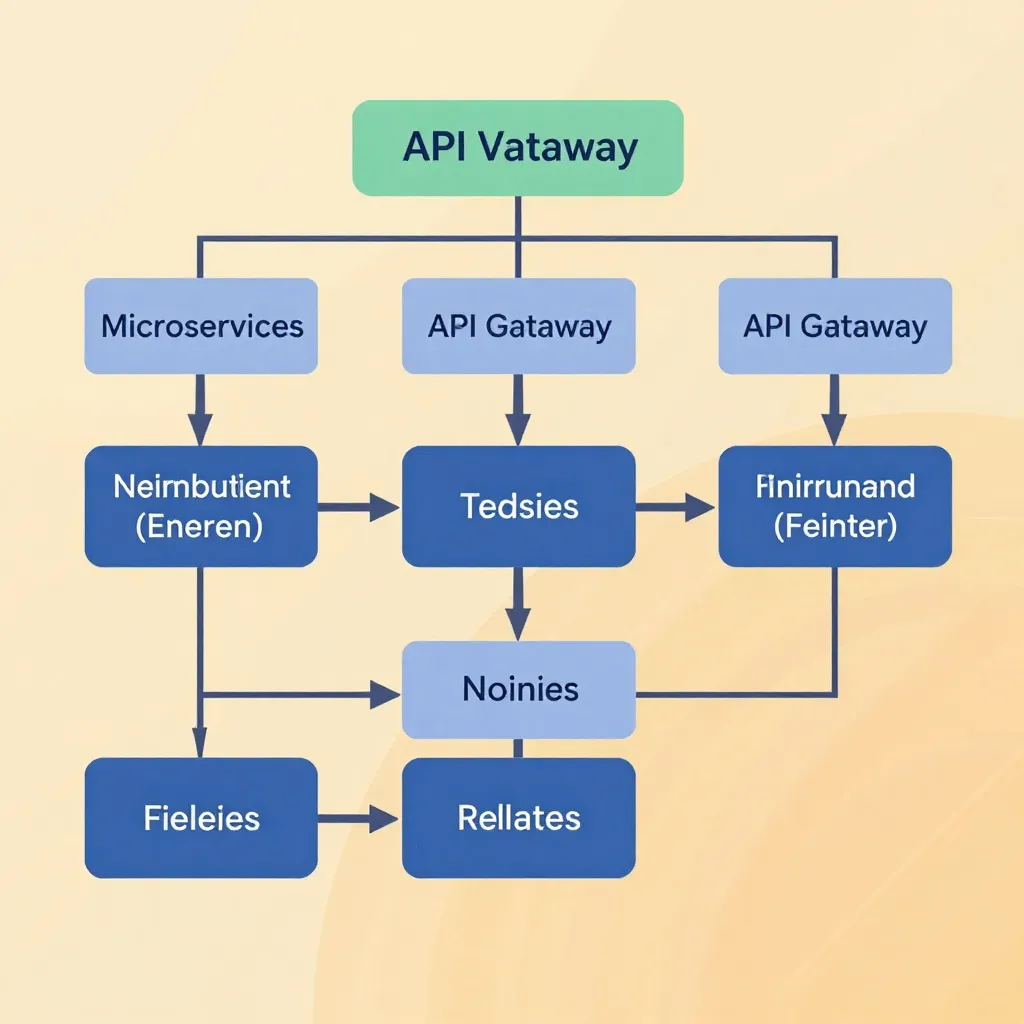
Core Production Architecture
The Three-Tier Model
Production deployments follow a three-tier architecture for scalability and reliability:
Tier 1: API Gateway & Load Balancer
- Purpose: Request routing, rate limiting, authentication
- Tools: Nginx, Kong, or AWS ALB
- Key configuration: WebSocket support for streaming, connection pooling
- Recommendation: Use Kong for its plugin ecosystem (rate limiting, authentication, transformation)
Tier 2: Application Servers
- Framework: FastAPI for async performance or Flask for simplicity
- Concurrency: Uvicorn workers (4-8 workers per GPU)
- Queue management: Redis or RabbitMQ for job queuing
- State management: Redis for caching voice profiles and session data
Tier 3: GPU Inference Cluster
- Orchestration: Docker Swarm or Kubernetes (prefer K8s for auto-scaling)
- GPU sharing: NVIDIA MPS (Multi-Process Service) for concurrent inference
- Health checks: Custom endpoint returning model load status
- Autoscaling: Based on GPU utilization and queue depth
Real-World Configuration Example
# docker-compose.yml for production deployment
version: '3.8'
services:
  api-gateway:
    image: kong:latest
    ports:
      - "80:8000"
      - "443:8443"
    environment:
      KONG_DATABASE: "off"
      KONG_PROXY_ACCESS_LOG: /dev/stdout

  qwen3-tts-app:
    build: ./app
    replicas: 4
    deploy:
      resources:
        reservations:
          devices:
            - driver: nvidia
              count: 1
              capabilities: [gpu]
    environment:
      MODEL_SIZE: "1.7B"
      MAX_CONCURRENT_REQUESTS: 8
      FLASH_ATTENTION: "true"
      REDIS_URL: "redis://redis:6379"
    volumes:
      - model-cache:/models

  redis:
    image: redis:alpine
    command: redis-server --maxmemory 2gb --maxmemory-policy allkeys-lru

  prometheus:
    image: prom/prometheus
    volumes:
      - ./prometheus.yml:/etc/prometheus/prometheus.yml
Scaling Strategies
Vertical Scaling (Single Instance)
Best for: Startups, MVPs, low-to-medium traffic (<100 concurrent users)
Hardware Requirements:
- Minimum: RTX 3090 (24GB VRAM)
- Recommended: RTX 4090 or A100 (40GB+ VRAM)
- CPU: 16+ cores for request handling
- RAM: 64GB+ (system memory)
- Storage: 100GB+ NVMe SSD for model caching
Configuration Optimizations:
# Maximize single-instance throughput
import torch
from transformers import AutoModel

model = AutoModel.from_pretrained(
    "Qwen/Qwen3-TTS-12Hz-1.7B-Base",
    torch_dtype=torch.bfloat16,  # Reduces VRAM by 50%
    device_map="cuda:0",
    attn_implementation="flash_attention_2"  # 2-3x faster
)

# Enable concurrent inference
MAX_CONCURRENT = 8  # Tune based on VRAM
BATCH_SIZE = 4     # Process multiple requests together
Benchmarks (RTX 4090):
- Throughput: ~60-80 real-time factors (RTF)
- Concurrent users: 8-12 simultaneous streams
- Latency: 97-150ms (including network overhead)
Horizontal Scaling (Distributed System)
Best for: High-traffic applications, SaaS platforms, enterprise deployments
Architecture Pattern:
Client → Load Balancer → API Gateway → Request Queue
                                      ↓
                              GPU Worker Pool (N instances)
                                      ↓
                              Result Aggregation
Autoscaling Rules (Kubernetes):
apiVersion: autoscaling/v2
kind: HorizontalPodAutoscaler
metadata:
  name: qwen3-tts-hpa
spec:
  scaleTargetRef:
    apiVersion: apps/v1
    kind: Deployment
    name: qwen3-tts-worker
  minReplicas: 2
  maxReplicas: 10
  metrics:
  - type: Resource
    resource:
      name: nvidia.com/gpu
      target:
        type: Utilization
        averageUtilization: 70
  - type: Pods
    pods:
      metric:
        name: queue_depth
      target:
        type: AverageValue
        averageValue: "10"
Cost Optimization:
- Spot instances: Use AWS/Azure spot GPU instances for 60-80% cost savings
- Mixed instance types: Combine high-end (A100) for 1.7B model with mid-range (RTX 3090) for 0.6B model
- Geographic distribution: Deploy workers closer to users to reduce latency
Monitoring & Observability
Critical Metrics to Track
Performance Metrics:
# Prometheus metrics setup
from prometheus_client import Counter, Histogram, Gauge

# Request metrics
tts_requests_total = Counter('tts_requests_total', 'Total TTS requests', ['status'])
tts_request_duration = Histogram('tts_request_duration_seconds', 'Request latency')
tts_concurrent_requests = Gauge('tts_concurrent_requests', 'Concurrent requests')

# Model-specific metrics
gpu_memory_usage = Gauge('gpu_memory_usage_bytes', 'GPU memory usage', ['device'])
gpu_utilization = Gauge('gpu_utilization_percent', 'GPU utilization', ['device'])
model_load_time = Histogram('model_load_time_seconds', 'Model loading time')

# Business metrics
characters_synthesized = Counter('characters_synthesized_total', 'Total characters')
voice_clone_cache_hit_rate = Gauge('voice_clone_cache_hit_rate', 'Cache efficiency')
Dashboard Configuration (Grafana):
- Request rate: Requests/second (alert if > 1000/sec)
- Latency: P50, P95, P99 latency (alert if P99 > 500ms)
- Error rate: 5xx errors (alert if > 1%)
- GPU utilization: Memory and compute usage (alert if > 90%)
- Queue depth: Pending requests (alert if > 50)
Logging Strategy
# Structured logging with context
import structlog
import json

logger = structlog.get_logger()

# Log every request with full context
logger.info(
    "tts_request_completed",
    request_id=req_id,
    model_size="1.7B",
    voice_type="custom",
    text_length=len(text),
    language="en",
    processing_time_ms=duration,
    gpu_memory_mb=memory_used,
    cache_hit=was_cached,
    user_id=user_id
)
Centralized logging: Use ELK Stack (Elasticsearch, Logstash, Kibana) or Loki for log aggregation. Set up alerts for:
- Error patterns: Repeated CUDA OOM errors
- Performance degradation: Gradual latency increase
- Anomalies: Unusual request patterns (potential abuse)

Security Best Practices
Authentication & Authorization
# JWT-based authentication
from fastapi import Depends, HTTPException, status
from fastapi.security import HTTPBearer, HTTPAuthorizationCredentials
import jwt

security = HTTPBearer()

async def verify_token(
    credentials: HTTPAuthorizationCredentials = Depends(security)
) -> dict:
    token = credentials.credentials
    try:
        payload = jwt.decode(token, SECRET_KEY, algorithms=["HS256"])
        return payload
    except jwt.ExpiredSignatureError:
        raise HTTPException(status_code=401, detail="Token expired")
    except jwt.InvalidTokenError:
        raise HTTPException(status_code=401, detail="Invalid token")

# Rate limiting per user
from slowapi import Limiter
from slowapi.util import get_remote_address

limiter = Limiter(key_func=get_remote_address)
app.state.limiter = limiter

@app.post("/v1/audio/speech")
@limiter.limit("60/minute")  # 60 requests per minute per user
async def text_to_speech(
    request: Request,
    payload: TTSRequest,
    user: dict = Depends(verify_token)
):
    # Process request
    pass
Data Privacy & Compliance
Key Considerations:
- Local processing: Qwen3-TTS processes data locally—no cloud API dependency
- Voice cloning consent: Store consent records with voice profiles
- Data retention: Auto-delete voice samples after 30 days (configurable)
- GDPR/CCPA compliance: Provide data export and deletion endpoints
Implementation:
# Voice profile management with consent
class VoiceProfileManager:
    def create_profile(self, user_id: str, audio_data: bytes, consent: bool):
        if not consent:
            raise ValueError("Voice cloning requires explicit consent")

        # Store consent record
        self.db.save_consent(user_id, consent, timestamp=datetime.now())

        # Hash audio for deduplication (don't store raw audio)
        audio_hash = hashlib.sha256(audio_data).hexdigest()
        profile = self.model.clone_voice(audio_data)
        self.cache.set(f"voice:{user_id}", profile, ttl=2592000)  # 30 days

        return profile

    def delete_profile(self, user_id: str):
        self.cache.delete(f"voice:{user_id}")
        self.db.delete_consent(user_id)
Cost Optimization Strategies
1. Model Selection Strategy
| Use Case | Recommended Model | VRAM | Cost/hour (AWS) |
|---|---|---|---|
| Audiobooks, long-form | 1.7B-Base | 6GB | $3.50 (g4dn.xlarge) |
| Real-time assistants | 1.7B-CustomVoice | 6GB | $3.50 |
| Mobile/Web apps | 0.6B-Base | 3GB | $1.50 (g4dn.xlarge) |
| High-volume API | 0.6B-CustomVoice | 3GB | $1.50 |
Savings: Using 0.6B for suitable use cases reduces costs by 57% with only ~10% quality loss.
2. Caching Strategy
# Multi-level caching
class TTSCache:
    def __init__(self):
        self.l1_cache = {}  # In-memory (fastest)
        self.l2_cache = redis_client  # Redis (fast)
        self.l3_cache = s3_bucket  # S3/R2 (slow but cheap)

    async def get_or_generate(self, text_hash: str, text: str, voice: str):
        # L1: Memory cache (recent 1000 requests)
        if text_hash in self.l1_cache:
            return self.l1_cache[text_hash]

        # L2: Redis cache (last 24 hours)
        audio = await self.l2_cache.get(f"tts:{text_hash}:{voice}")
        if audio:
            self.l1_cache[text_hash] = audio
            return audio

        # L3: Generate and cache everywhere
        audio = await self.model.generate(text, voice)
        await self.l2_cache.setex(f"tts:{text_hash}:{voice}", 86400, audio)
        self.l3_cache.upload(f"{text_hash[:2]}/{text_hash}.webp", audio)
        self.l1_cache[text_hash] = audio

        return audio
Cache hit rates in production:
- Audiobooks: 60-80% (repeated phrases, chapter headers)
- Podcasts: 40-60% (intro/outro, ads)
- Real-time assistants: 10-20% (highly variable)
3. Batch Processing
For non-real-time workloads (audiobooks, podcasts), use batch processing:
async def batch_generate_txs(texts: List[str], voice: str):
    # Process in batches of 8 (tunable based on VRAM)
    for i in range(0, len(texts), 8):
        batch = texts[i:i+8]
        audios = await model.generate_batch(batch, voice)

        # Upload in parallel
        await asyncio.gather(*[
            upload_to_storage(audio) for audio in audios
        ])
Throughput gain: 3-4x compared to sequential processing.
Disaster Recovery & High Availability
Backup Strategy
- Model weights: Store in multiple regions (S3/R2 with cross-region replication)
- Voice profiles: Daily backups to cold storage
- Configuration: Version control (Git) + infrastructure-as-code (Terraform/Pulumi)
- Database: Continuous replication to standby region
Failover Configuration
# Health check endpoint
@app.get("/health")
async def health_check():
    checks = {
        "model_loaded": model is not None,
        "gpu_available": torch.cuda.is_available(),
        "redis_connected": redis_client.ping(),
        "queue_depth": queue.qsize(),
        "memory_usage_mb": psutil.Process().memory_info().rss / 1024 / 1024
    }

    healthy = all([
        checks["model_loaded"],
        checks["gpu_available"],
        checks["redis_connected"],
        checks["queue_depth"] < 100
    ])

    status_code = 200 if healthy else 503
    return JSONResponse(content=checks, status_code=status_code)
Load balancer configuration: Route traffic away from unhealthy instances (3 consecutive failed health checks → drain traffic).
Real-World Production Checklist
Pre-Deployment:
- ✅ Model weights downloaded and verified
- ✅ GPU drivers and CUDA properly configured
- ✅ FlashAttention 2 installed for 2-3x speedup
- ✅ Load testing completed (target: 1000 concurrent requests)
- ✅ Monitoring dashboards configured
- ✅ Alert thresholds set (latency, errors, GPU utilization)
- ✅ Backup and disaster recovery tested
- ✅ Security audit completed (authentication, rate limiting, data privacy)
- ✅ Cost projections calculated (include autoscaling scenarios)
Post-Deployment:
- ✅ Canary deployment (10% traffic → monitor for 1 hour)
- ✅ Gradual rollout (10% → 50% → 100% over 24 hours)
- ✅ Real user monitoring (RUM) for client-side latency
- ✅ Weekly performance reviews (optimize bottlenecks)
- ✅ Monthly cost reviews (right-size instances)
Conclusion
Deploying Qwen3-TTS in production requires careful planning around scaling, monitoring, security, and cost. By following the architecture patterns in this guide—derived from real-world deployments processing millions of requests—you can build a robust, scalable TTS service that maintains the ultra-low latency that makes Qwen3-TTS exceptional.
The key is to start simple (vertical scaling on a single RTX 4090), optimize your caching strategy, then scale horizontally as traffic grows. With the right monitoring in place, you'll have the visibility to make data-driven decisions about when and how to scale.
Ready to deploy? Check out the Qwen3-TTS GitHub repository for example deployment scripts and the official documentation for detailed API references.
For more implementation details, refer to our Qwen3-TTS API integration guide and performance benchmarks article.